

You just missed the biggest UFC knockout of the year because your cable package didn’t carry the prelims. Frustrating, right? Millions of sports fans slam into that exact wall every single weekend and have no idea a cheaper fix already exists.
ESPN+ was built to solve that exact problem, but the confusing pricing tiers, bundle deals, and login quirks scare most people away before they even try it. This guide strips away the marketing fluff and hands you the real, unfiltered breakdown so you stop overpaying for sports content you barely watch.
By the end of this page, you will know exactly how much ESPN+ costs, what it includes, and whether the bundle deal is actually worth your hard-earned money this year.
What Is ESPN+ and Why Does Everyone Suddenly Talk About It?
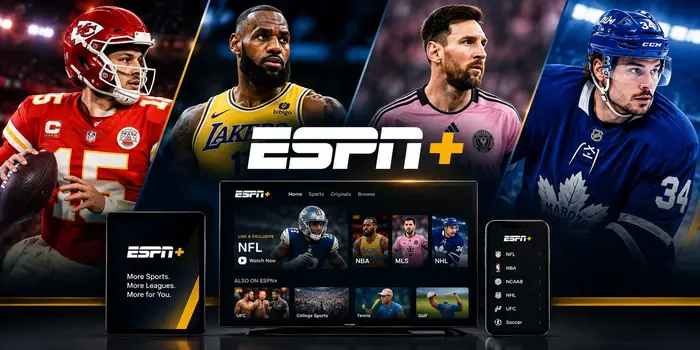
ESPN+ is a standalone streaming service launched by Disney and ESPN back in April 2018. It lives entirely online through the ESPN app and the ESPN website, which means you will never find it sitting on a traditional cable channel lineup.
Think of it as ESPN’s digital playground for live sports that never make it to the main television channels. You get exclusive UFC fight cards, out-of-market NHL games, niche college sports, and award-winning original documentaries that cable simply ignores.
The platform streams directly to your phone, smart TV, tablet, laptop, or gaming console without any extra hardware. All you need is a decent internet connection and an active ESPN+ subscription to start watching live events within minutes of signing up.
Disney has invested heavily in growing the ESPN+ schedule over the past few years. The platform now carries over 25,000 live events annually, making it one of the largest sports streaming libraries available anywhere in the United States.
How Much Is ESPN+ Per Month? The Real Numbers for 2025
The ESPN+ cost sits at $11.99 per month for the standalone plan as of early 2025. If you prefer paying once per year, the ESPN+ price drops to $119.99 annually, which saves you roughly $24 compared to twelve months of billing.
That annual deal essentially hands you two free months compared to the monthly billing cycle. For dedicated sports fans who watch content year-round, locking in the yearly ESPN+ subscription is the smartest move you can make right now.
Prices have climbed steadily since the service launched at just $4.99 per month in 2018. Disney adjusts the ESPN+ cost almost every year, so grabbing the annual rate now protects you from the next inevitable increase hitting your wallet.
ESPN+ Bundle Deals That Seriously Slash Your Monthly Bill
The ESPN+ bundle is where the real savings kick in for most households. Disney currently offers a Duo Basic plan that combines ESPN+ and Hulu with ads for just $11.99 per month, the exact same price as ESPN+ alone.
You read that correctly. You get Hulu thrown in at no additional charge compared to the standalone ESPN+ price. That single deal makes the bundle the most popular option for new subscribers signing up in 2025.
The Trio Basic bundle adds Disney+ into the mix for $16.99 monthly. That one payment replaces three separate subscriptions and keeps your total streaming budget well under control even in an increasingly crowded market.
Premium ad-free tiers push the bundle price up to $29.99 per month, but you still save significantly compared to purchasing each service individually at full retail price.
ESPN vs ESPN+: The Critical Difference That Confuses Everyone
This is the single most common question new users ask, so let’s settle it right now once and for all. ESPN+ does not include the live ESPN, ESPN2, or ESPNU television channels in any capacity whatsoever.
The main ESPN network requires a traditional cable subscription or a live TV streaming service like YouTube TV, Sling, or Fubo. ESPN+ operates as a completely separate, complementary product with its own exclusive content library that never overlaps with the cable feed.
Does ESPN Unlimited Include ESPN+ or Is It the Same Thing?
No, ESPN Unlimited is not the same as ESPN+. ESPN Unlimited refers to the on-demand replay and highlight library available through select cable provider logins, while ESPN+ is a paid standalone streaming product with exclusive live events.
Many fans wrongly assume their existing cable login automatically unlocks ESPN+ content on the app. It does not. You need a dedicated ESPN+ login tied to an active paid subscription to access the exclusive live fights, games, and originals.
Does ESPN+ Include ESPN Channel Access at All?
The short answer remains no. Your ESPN+ subscription grants access only to the content labeled with the ESPN+ badge inside the app. Main channel broadcasts like Monday Night Football on ESPN require a separate TV provider credential to stream.
What Does ESPN+ Include? A Complete Content Breakdown
The ESPN+ schedule is absolutely packed with live events you cannot find on any competing platform. Here is a detailed snapshot of what your subscription actually unlocks on day one:
- UFC Fight Nights and PPV prelims streamed exclusively before the main pay-per-view card begins
- Out-of-market NHL games through the NHL Power Play package, giving you access to nearly every regular-season matchup
- College football and basketball from smaller conferences like the AAC, Sun Belt, and Ivy League
- MLB daily games featuring one live out-of-market matchup every single day of the regular season
- Original series like the legendary 30 for 30 documentaries and Detail with pro athlete film breakdowns
- International soccer including LaLiga, Bundesliga, FA Cup, and EFL Championship matches
- PGA Tour golf with featured group and featured hole coverage during major tournament weekends
Does ESPN+ Have NFL Games for Football Fans?
ESPN+ streams select NFL content, but it does not carry the full Sunday slate of games. You can watch Monday Night Football simulcasts and exclusive international NFL matchups that air only on the streaming platform.
For comprehensive NFL coverage including every Sunday afternoon game, you still need a live TV provider or a dedicated NFL Sunday Ticket package. ESPN+ fills the gaps rather than replacing your primary football source entirely.
How to Get ESPN+ and Start Watching in Under Five Minutes
Getting started is ridiculously simple on any device you already own. Head to the ESPN+ website or download the ESPN+ app from your device’s app store, then tap the subscribe button on the homepage.
Choose your preferred plan, enter your payment details, and confirm your ESPN+ subscription on the checkout screen. Once your payment clears, your ESPN+ login credentials work immediately across every supported device in your home.
How to Watch ESPN+ on Your Living Room TV
Open the ESPN app on your Roku, Apple TV, Fire Stick, or smart TV and navigate to the settings menu. Select “Log In to ESPN+” and enter your account credentials to authenticate your active subscription.
The app will instantly unlock all premium live streams and on-demand content tied to your account. You can also cast directly from your phone to any Chromecast-enabled television for a quick setup without typing passwords on a remote.
Is ESPN+ Free or Does It Still Offer a Free Trial?
The honest answer is no, ESPN+ is not a free service and has not been for several years now. Disney quietly discontinued the ESPN+ free trial program back in 2020, so every new subscriber must pay from the very first day.
However, bundle promotions occasionally include limited-time discounts that effectively reduce your cost for the first few months. Keep a close eye on the ESPN+ subscription page around major sporting events like the Super Bowl, March Madness, or UFC championship weekends.
Some mobile carriers and internet providers also bundle ESPN+ at no extra charge with select premium plans. Check with your current provider before you pay full price out of pocket because you might already have access without realizing it.
Is ESPN+ on YouTube TV and Other Cable Providers?
ESPN+ is not a traditional numbered channel, so you will never find it listed on any cable or satellite guide. That means asking “what channel is ESPN+” on DirecTV or what channel is ESPN+ on Spectrum will always come back empty.
YouTube TV, Hulu + Live TV, and Sling TV carry the main ESPN networks but do not include ESPN+ in their base channel packages. You must add ESPN+ as a separate subscription through each platform’s add-on marketplace.
Once you link your ESPN+ login to your live TV streaming account, the exclusive content appears seamlessly inside the ESPN app alongside your regular channel lineup on every connected device.
How to Cancel ESPN+ Without Dealing With Any Headache
Canceling your ESPN+ subscription takes roughly sixty seconds and requires zero phone calls or hold times. Log into your account on the ESPN website, click your profile icon in the top corner, and select “Manage Subscription.”
Hit the cancel button and confirm your choice on the next screen. Your access continues until the end of your current billing cycle, so you will not lose any remaining days you already paid for.
If you originally subscribed through a third party like Apple, Google Play, or Roku, you must cancel through that specific platform’s subscription settings instead of the ESPN website. The ESPN app cannot override third-party billing agreements on your behalf.
ESPN+ Pricing Comparison at a Glance
| Plan | Monthly Cost | Annual Cost | Best For |
|---|---|---|---|
| ESPN+ Standalone | $11.99 | $119.99 | Solo sports fans |
| Duo Basic (ESPN+ & Hulu) | $11.99 | N/A | Casual streamers |
| Trio Basic (ESPN+, Hulu, Disney+) | $16.99 | N/A | Families |
| Trio Premium (No Ads) | $29.99 | N/A | Ad-free households |
The standalone plan makes perfect sense if you only care about live sports and nothing else. The bundles deliver dramatically better value if you already pay for Hulu or Disney+ as separate subscriptions on different billing dates.
Frequently Asked Questions
What is ESPN+ and how is it different from regular ESPN?
ESPN+ is a standalone streaming service with exclusive live sports, UFC events, and original shows. Regular ESPN is a traditional cable TV channel. They operate completely independently and require separate paid subscriptions to access on any device.
How much does ESPN+ cost per month in 2025?
ESPN+ costs $11.99 per month or $119.99 per year for the standalone plan. Bundle options with Hulu and Disney+ start at $11.99 and go up to $29.99 depending on your ad preferences and household streaming needs.
Does ESPN+ include the main ESPN channel?
No. ESPN+ does not include live broadcasts from ESPN, ESPN2, or ESPNU. You need a cable or live TV streaming subscription to watch those traditional television channels on any device in your home.
Is ESPN+ on YouTube TV as an add-on?
Yes. YouTube TV subscribers can add ESPN+ through the platform’s add-on marketplace for an additional monthly fee. Your ESPN+ login then unlocks all exclusive content inside the ESPN app on any supported device.
What channel is ESPN+ on DirecTV or Spectrum?
ESPN+ is not a numbered cable channel on any provider including DirecTV, Spectrum, or Xfinity. It exists only as a streaming service accessed through the ESPN app or the ESPN website with a valid paid subscription.
How do I get ESPN+ on my smart TV?
Download the ESPN app from your TV’s built-in app store, open it, and sign in with your ESPN+ login credentials. The app works natively on Roku, Apple TV, Fire TV, Samsung, and LG smart TVs without any extra setup.
How to cancel ESPN+ if I subscribed through Apple?
Open your iPhone settings, tap your Apple ID at the top, select “Subscriptions,” find ESPN+ in the active list, and tap “Cancel Subscription.” Your access remains fully active until the current billing period officially ends.
Final Word on Whether ESPN+ Actually Deserves Your Money
If you follow UFC, college sports, international soccer, or out-of-market hockey, ESPN+ pays for itself within the first week of use. The exclusive content library simply does not exist on any competing streaming platform at this price point.
Grab the Duo or Trio bundle deal if you already stream Hulu or Disney+ on a separate bill. You will save real money every single month while unlocking thousands of live events that your cable provider never bothered to carry in the first place.
Sign up, test the ESPN+ app during a big UFC fight weekend or a packed college football Saturday, and make your own judgment call. The annual plan locks in the lowest available rate before the next price hike inevitably hits your wallet later this year.